DNS Record Types Explained
How does a browser know where a website lives?
Let me start with a simple question.
When you type google.com into your browser and press Enter…
How does your computer know where that website actually is?
Your browser doesn’t understand names like google.com.
It only understands numbers i.e IP addresses , like:
142.250.182.14
So something in the middle has to translate:
website name → server address
DNS in plain English
DNS is basically the phonebook of the internet.
Think about your phone:
You tap on “Mom”
Your phone looks it up
Finds her actual number
And makes the call
DNS works the same way.
You type a domain name.
DNS looks it up.
Returns the IP address.
Your browser connects.
Why do DNS records exist?
A website needs answers to more than just one question.
Not only:
- Where is this website?
But also:
Who manages this domain?
Where should emails go?
Is this domain verified?
Does it support IPv6?
Each of these questions is answered by a different DNS record.
That’s why DNS has multiple record types.
NS Record — Who controls this domain?
Imagine sending a letter.
Before delivery even starts, the post office needs to know:
Which local office handles this area?
That’s exactly what NS records do.
They say:
“These name servers are responsible for this domain.”
If NS records don’t exist, DNS has no idea where to ask anything else.
So NS is always step one.
Simple version:
NS record = domain manager
A Record — Domain → IPv4 address
Once DNS knows who manages your domain, it asks:
“Okay… where is the website?”
The A record answers that.
Example:
example.com → 93.184.216.34
That number is your web server.
Think of it like this:
Domain name = house name
IP address = house number
A record connects the two.
AAAA Record — Same thing, newer internet
AAAA records do the exact same job as A records.
The only difference?
A record → IPv4
AAAA record → IPv6
IPv6 exists because the internet ran out of old IP addresses.
Not every site uses AAAA yet, but many modern setups do.
No stress if you don’t — it’s optional for most beginners.
CNAME Record — One name pointing to another
Sometimes you don’t want multiple IP addresses.
Instead, you want one name to follow another.
Example:
www.example.com → example.com
That’s a CNAME.
It means:
“Hey DNS, don’t resolve me. Resolve that other domain instead.”
So DNS first looks up example.com, then gets the IP.
Important beginner clarity (A vs CNAME)
A record points to an IP
CNAME points to another domain
That’s it.
Also: you can’t use both on the same hostname.
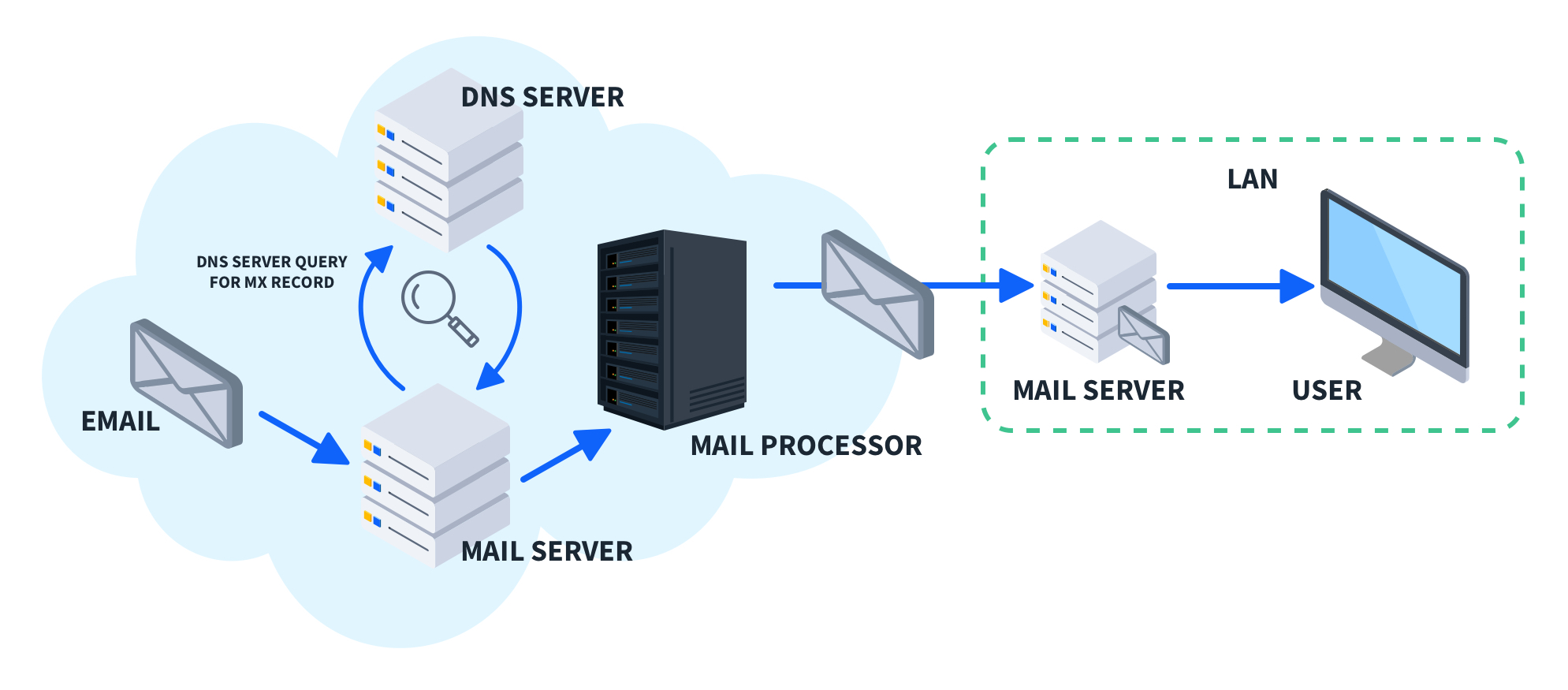
MX Record — How email finds you
Web traffic and email are separate systems.
MX records tell the world:
“If someone sends mail to this domain, deliver it here.”
Example:
example.com → mail.example.com
Every email server checks MX records before sending mail.
Common confusion cleared
NS decides DNS ownership
MX decides email delivery
Different jobs. Totally unrelated.
TXT Record — Notes attached to your domain
TXT records store plain text.
They’re used for things like:
Domain verification
Email protection (SPF, DKIM, DMARC)
Proving ownership to services
I like to think of TXT records as:
sticky notes on your domain.
They don’t control traffic — they just provide information.
How all DNS records work together
A basic website usually has:
NS → DNS provider
A / AAAA → web server
CNAME → www alias
MX → mail server
TXT → verification + security
Each record solves one small problem.
Together, they make everything work:
Website loads
Emails arrive
Domain stays trusted
No single record does it all.
Browser → DNS → Server (big picture)

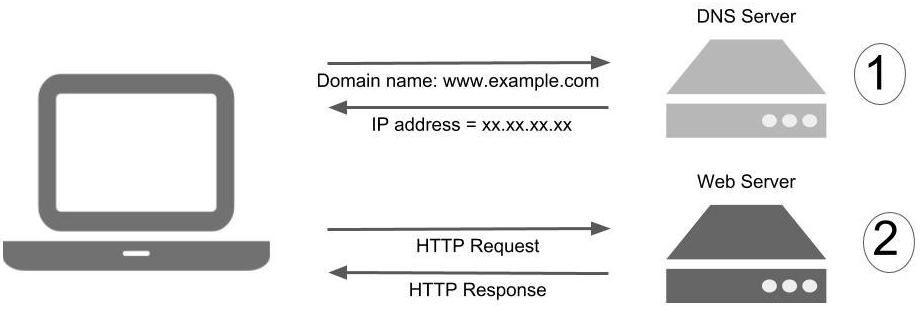
4
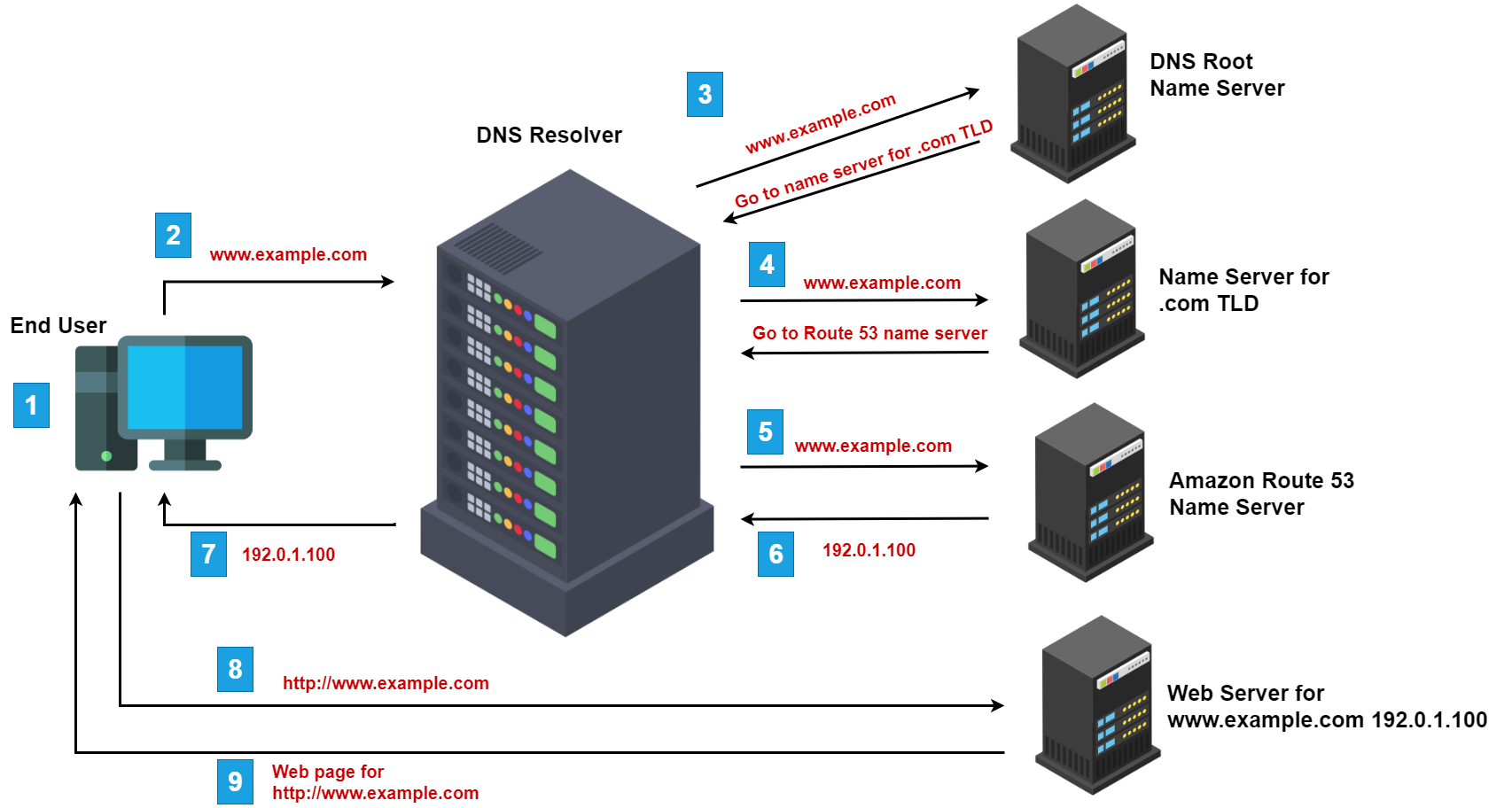
A / AAAA mapping domain to IP
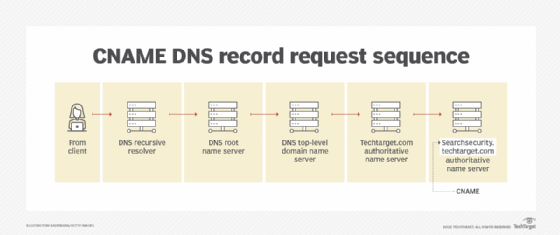
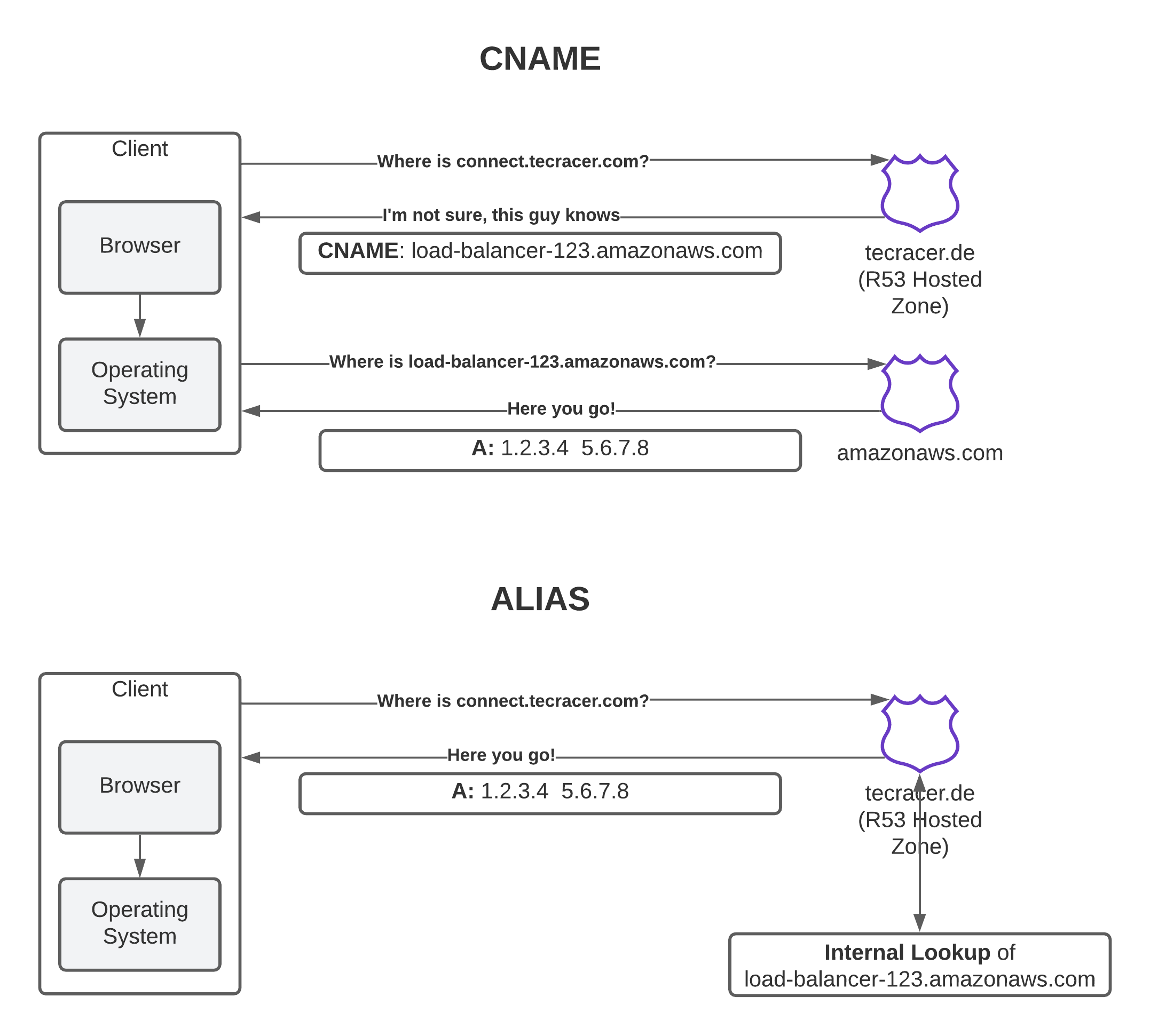
CNAME aliasing
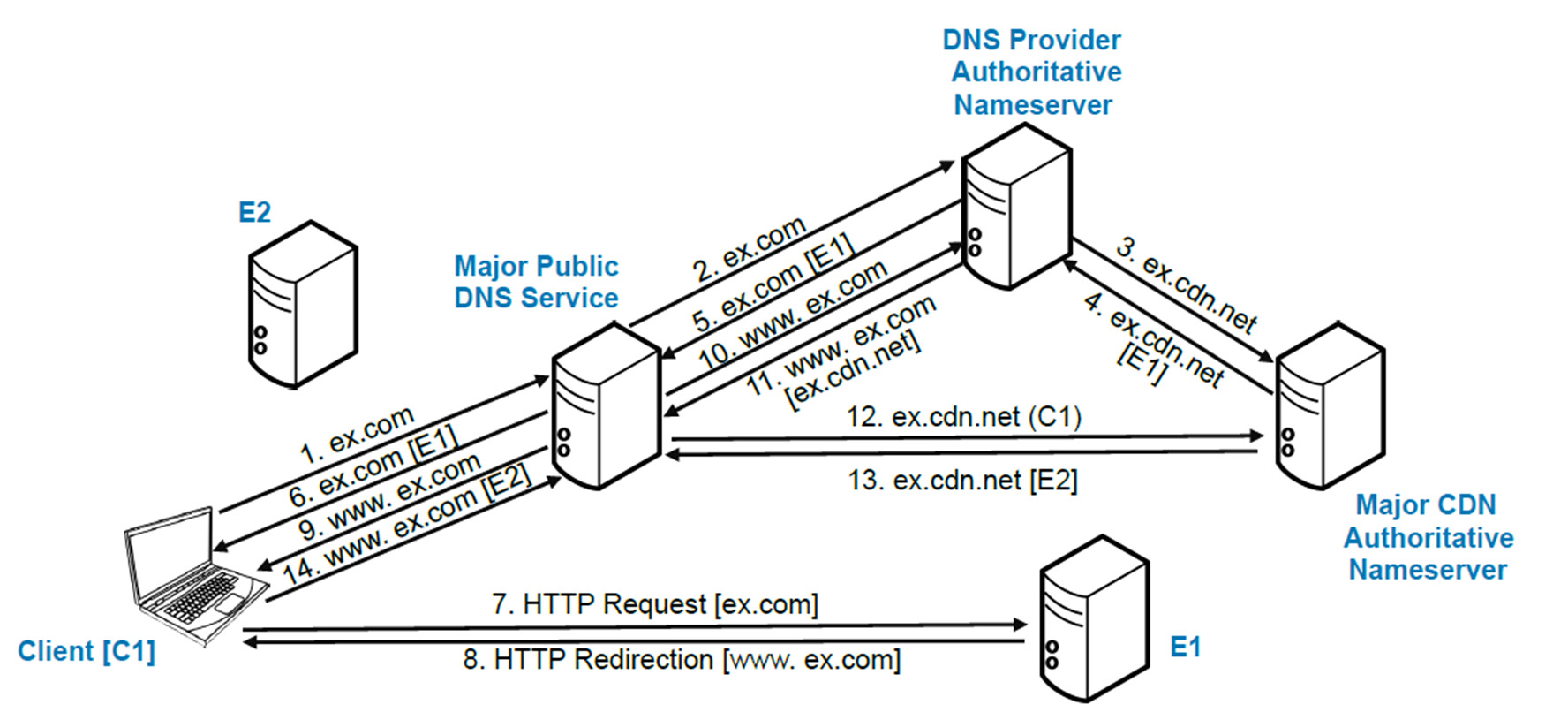
MX email routing


DNS hierarchy with NS

Complete DNS setup example


